Overlays for IRL streams
On an IRL stream, use a small overlay: compact chat in a corner, alerts with a sound, one goal, and a Be right back screen for when your signal drops. Layrs makes each one for Twitch and Kick, free. They are links you paste into OBS as a Browser source, and your mods can change them from home while you’re out.
Updated
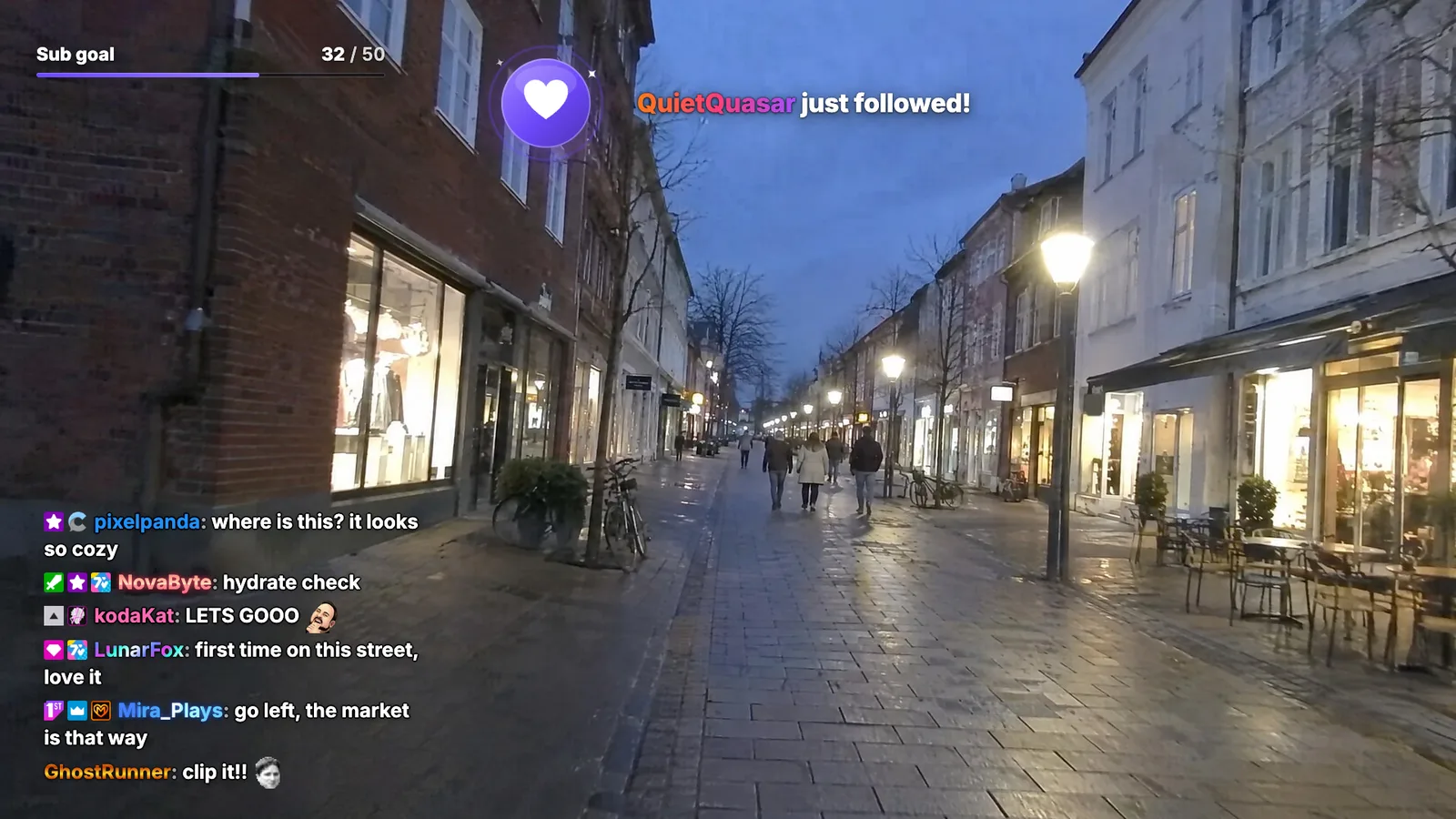
What to put on an IRL stream
Your camera is the whole picture, and it has to stay readable on a phone screen. So everything on top of it has to earn its place. These do:
| Job | What you get | Set it up |
|---|---|---|
| Chat | Twitch chat, Kick chat or both in one narrow column: outlined text, no background, your channel’s 7TV emotes, and on Twitch your viewers’ 7TV name paints and badges | The free Twitch chat overlay (no account) or the Kick chat overlay |
| Alerts | Follows, subs, gifted subs, bits, KICKs and tips in one box, each with a sound | Twitch alerts and Kick alerts in OBS |
| One goal | A bar that counts subs, follows, bits and KICKs, or tips, on Twitch and Kick together | Stream goals |
| Subathon timer | One clock that subs, gifted subs, bits, KICKs and tips add time to | Subathon timer |
| BRB screen | A Be right back scene that keeps chat, your goal and alerts on screen while your signal is gone | A BRB scene for IRL streams |
| Mods at home | Your mods change the overlay from their own browser, or with ; commands in chat | Let your mods edit your overlay |
Pick the goal or the subathon timer, not both: on a subathon the clock is the goal. Skip the webcam frame (your camera is already the picture) and anything that fills a whole side of the screen. A leaderboard fits better on the BRB screen.
Keep it small and readable
- Chat: pick Chat (clean): white outlined text with no background, so the street shows through. Overall size makes the text bigger (up to 48 px), Max messages keeps the column short, and Fade out after clears old lines when chat goes quiet.
- Paints and badges: set 7TV paints to On and Twitch viewers’ name paints show, like in the picture above. Their Twitch, 7TV, BTTV, FFZ and Chatterino badges show from the start. 7TV emotes and name paints in OBS.
- Alerts: set Layout to Image left for a wide banner along the top, and Duration to a few seconds (2 to 20). Each alert has its own Sound and Volume.
- Sound: an alert’s sound plays where OBS runs and goes out with your stream. On a PC nobody sits at, tick Control audio via OBS on the Browser source, so the sound lands in the stream’s mix: sound from a Browser source. Under Text to speech, Read messages aloud reads bits, sub and tip messages out loud.
- Goal: the Slim style is a thin line under small labels. Put it in a top corner.
Can’t find a setting? Type its name into Search settings on the source’s page. Then open your own stream on your phone before you go out: whatever you can’t read there is too small.
Set it up at home, not on your phone
A Layrs overlay is a link that OBS draws over your camera. On an IRL stream that OBS is rarely in your hand: your phone sends the camera to a relay, and OBS on a PC at home picks it up, adds the overlay and sends the stream to Twitch or Kick. So the overlay uses none of your mobile data.
Sign in
Sign in to Layrs with Twitch or Kick. Streaming on both? Click your name at the bottom left, pick Settings, and under Connected platforms connect the other one.
Make a source for each job
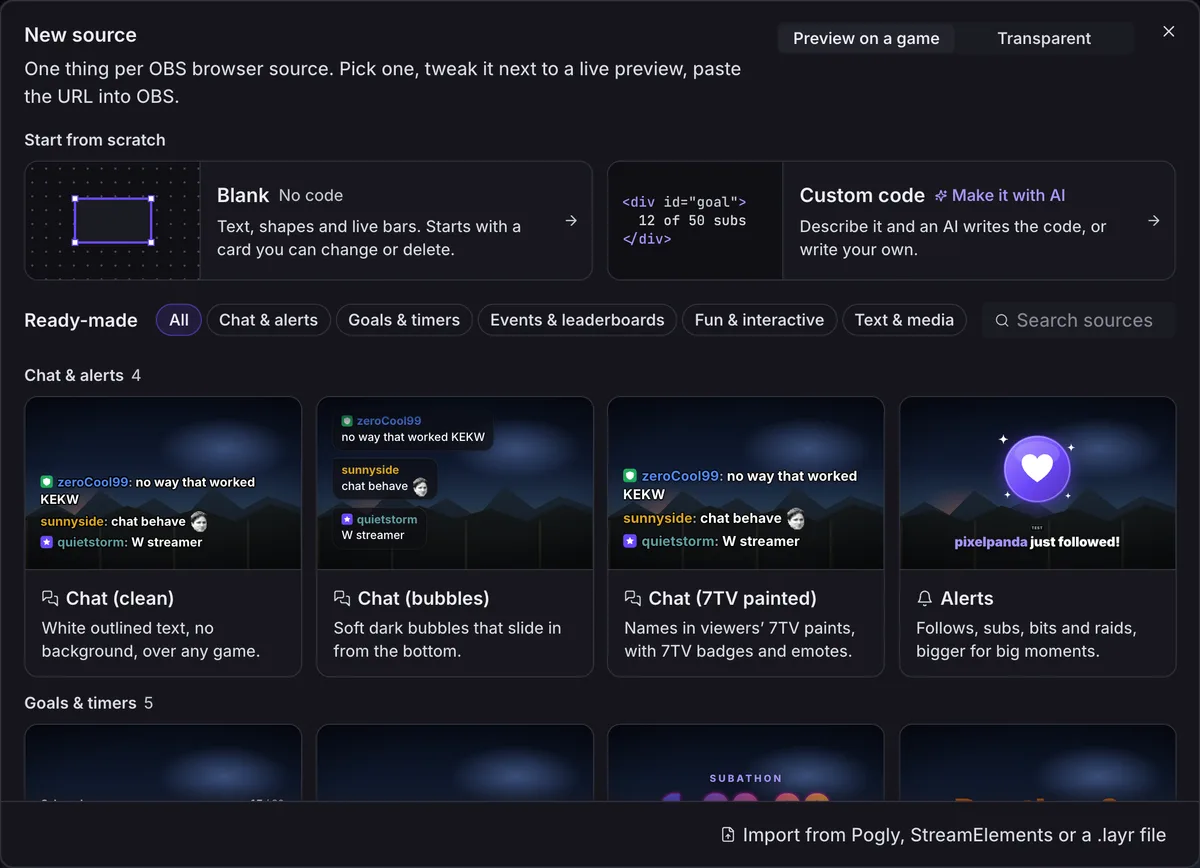
Click New → Source (on a new account: One source on Home) and pick Chat (clean). Do it again for Alerts and Sub goal.
Copy each link
In the strip under the preview, click Copy URL.

Add them to OBS
In the OBS that sends your stream, click + under Sources, pick Browser, paste the link into URL and set the width and height Layrs shows. Put chat in a bottom corner, the goal in a top corner and alerts along the top.
Test before you leave
On the alert box’s page, click Test above the preview and pick Follow. It plays in OBS too, and never counts toward your goal.
Rather have one link than three? Click New → Scene, pick Blank, and use Add source to put chat, alerts and the goal on one canvas. Add to OBS at the top gives you the one link.
No PC at home? A cloud OBS does the same job. Streaming straight from a phone app to Twitch or Kick, with nothing in between, leaves no Browser source to paste a link into: Layrs needs OBS, or another app with a browser source, between your camera and the platform.
When your signal drops
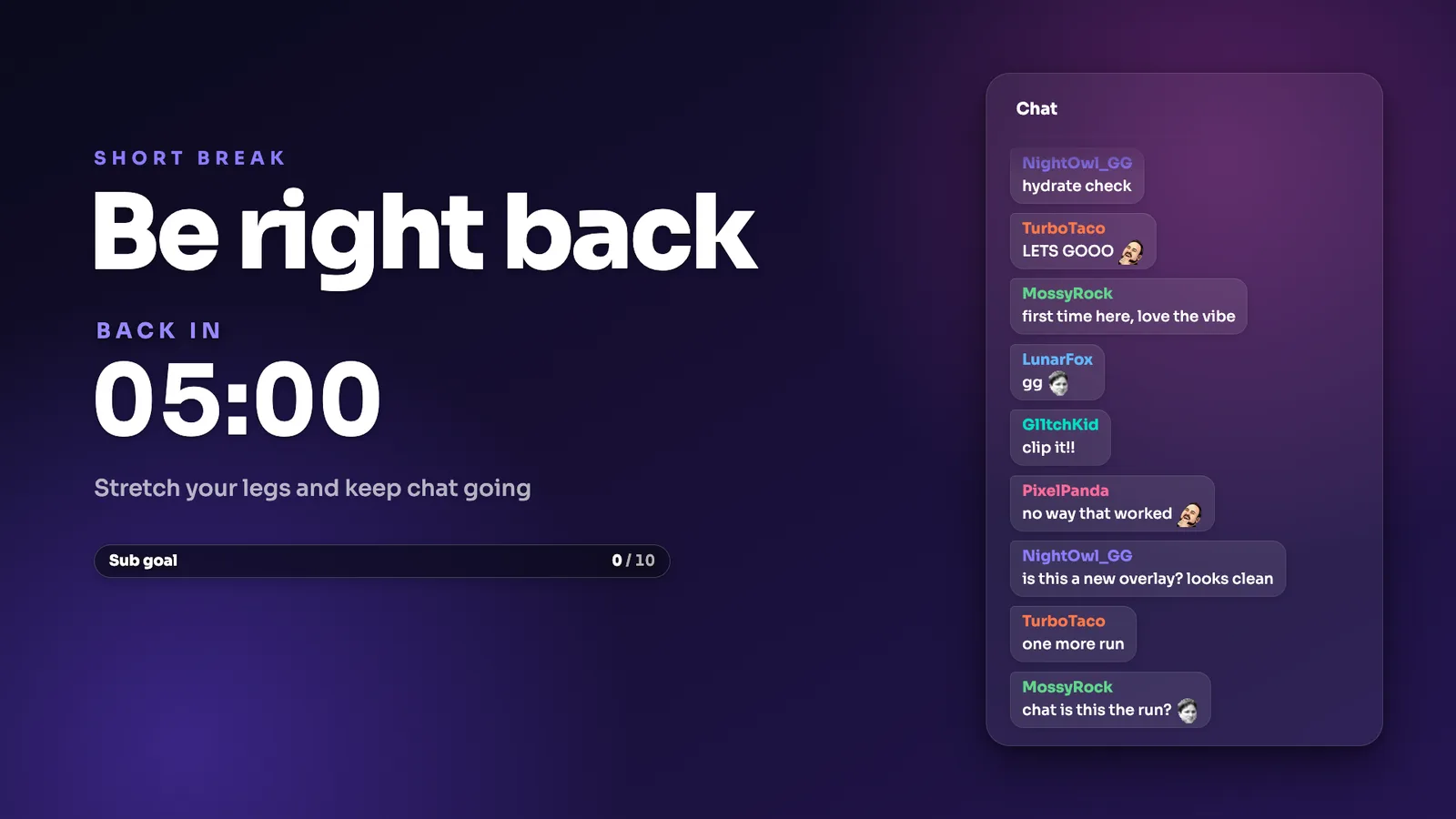
Sooner or later your signal goes. A frozen frame gives viewers nothing to stay for; a screen with chat and your goal on it does. Click New → Scene and pick Be right back: it comes with the title, a break countdown, a sub goal, alerts and chat. Set up a BRB scene for IRL streams has every step.
Layrs doesn’t switch scenes: OBS does, or your relay. IRLHost does it with IRLHost Plus: a relay for IRL streams that takes SRT, SRTLA and RTMP, and switches OBS to your BRB scene when your signal falls below the threshold you set, and back when it returns. Plus starts with a 7-day free trial. Its free desktop app, IRLHost Link for Windows and macOS, lets you or a mod switch scenes from Twitch or Kick chat instead (IRLHost’s own pages, checked 12 November 2026). IRLHost’s cloud OBS, IRLHost Studio, takes the same Browser source.
Vectio, in Aalborg, Denmark, makes both Layrs and IRLHost, so read that as a tip from the people who sell it. Layrs is a Browser source in OBS: it works the same whatever carries your video.
Let your mods fix it while you’re out
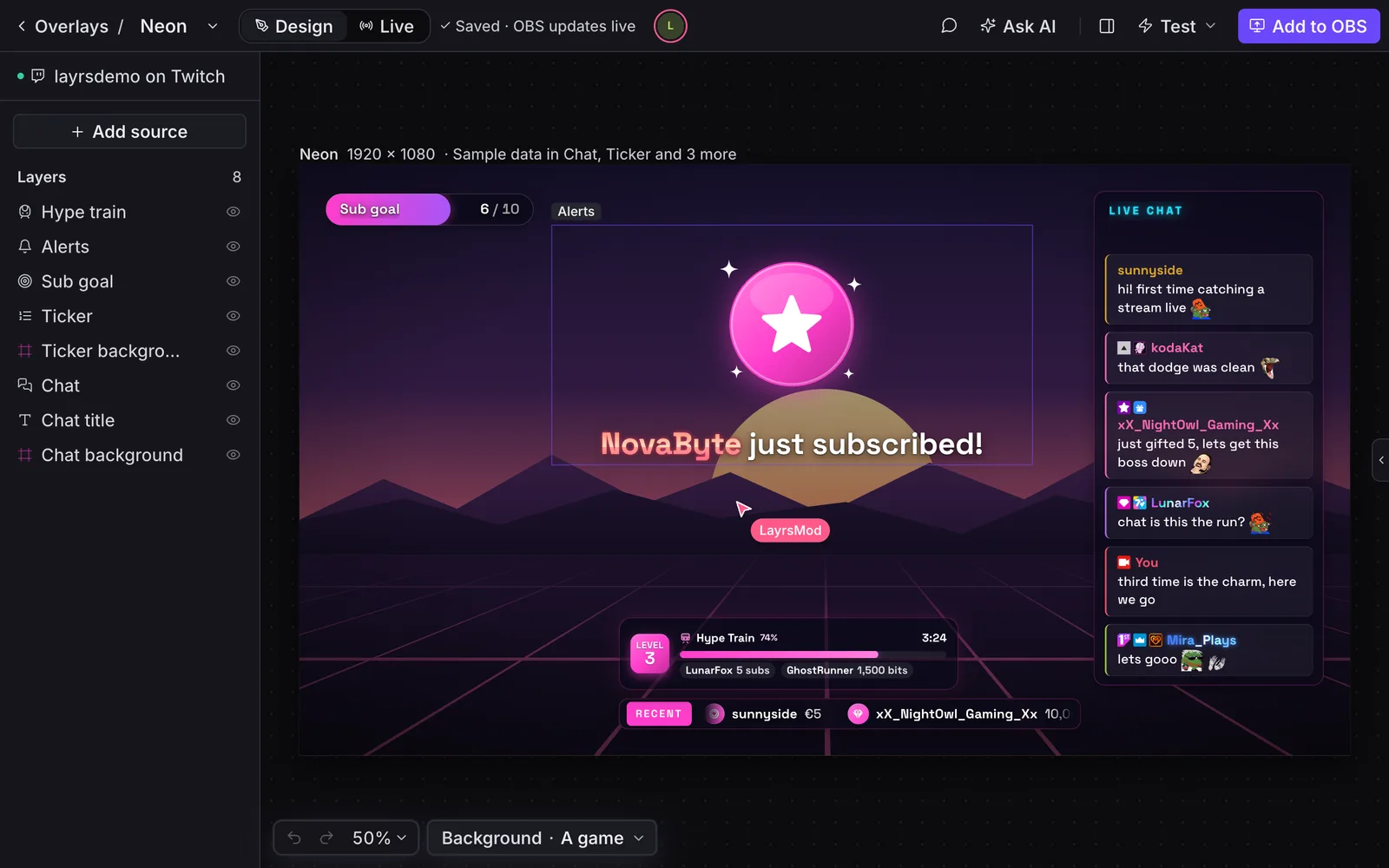
You can’t open an editor on a pavement. Your mods can, from home. Open Team, invite them by their Twitch or Kick name and pick a role: a Moderator runs things live, an Editor can also move and restyle. What they change shows in OBS while they work, and your OBS link stays the same, so nobody has to touch the PC at home.
The mods in your Twitch or Kick chat can also type ; commands, without a Layrs account: ;show brb when you drop, ;subathon +10m, ;subgoal 75.
And when it has to be you: Layrs works in your phone’s browser. On a source’s page, Live holds its buttons, like the subathon timer’s Pause and +5 min. How to let your mods edit your stream overlay.
FAQ
What overlay should I use for an IRL stream?
A small one: compact chat in a corner, alerts with a sound, one goal or a subathon timer, and a Be right back screen for signal drops.
Do overlays use my mobile data?
No. OBS draws the overlay where your stream is put together, on a PC at home or in the cloud. Your phone sends only the camera.
Does Layrs switch to my BRB scene when the signal drops?
No. OBS or your relay switches scenes. IRLHost Plus does it by itself (it has a 7-day free trial), and the free IRLHost Link app lets you or a mod switch from chat. Layrs makes what the BRB scene shows.
Can my mods edit the overlay during an IRL stream?
Yes. They edit it in their own browser and it changes on stream, or they type commands like ;show brb in chat.
Does it work on Kick?
Yes. Chat, alerts, goals and the subathon timer work on Twitch and Kick, and one overlay can show both: what works on Kick. While you simulcast, read Twitch’s rule on merging other platforms first.
Do I need IRLHost to use Layrs?
No. Vectio makes both, and each works without the other.
Is it free?
Yes. Every built-in Layrs overlay is free, with no watermark.